Flask(Part.65)| 【QRコードアプリケーションのカスタマイズ(2)】
-1280x720.jpg)
python| まとめ | 現役エンジニア&プログラミングスクール講師「python」のまとめページです。pythonに関して抑えておきたい知識や文法やにについて記事をまとめています。まとめページの下部には「おすすめの学習書籍」「おすすめのITスクール情報」「おすすめ求人サイト」について情報を掲載中...
目次
目標
- QRコードの印刷ボタンを追加する
- QRコード生成のページから管理業務一覧へ戻るボタンを追加する
QRコードアプリケーションのカスタマイズ
ここでは、前回同様「feature-qrcode-securityブランチ」で作業を行います。
QRコードの印刷ボタンを追加する
QRコードを印刷するためのボタンと管理業務一覧へ戻るボタンを設置します。QRコード印刷用のボタンはJavaScriptで実装します。
apps/qrcodeapp/tempates/qrcode_generate.html
apps/qrcodeapp/tempates/qrcode_generate.htmlファイルを次のように編集します。
{% extends "qrcode_base.html" %}

{% block title %}{{ title }}{% endblock %}

{% block header %}
<ul>
    <li><a href="{{ url_for('common.admin_dashboard') }}" class="button-link">管理業務一覧</a></li>
</ul>
{% endblock %}

{% block content %}
<div class="qr-container">
    <h1 class="qr-title">QRコードを作成</h1>

    <form method="POST" class="qr-form">
        <label for="table_id">テーブル番号:</label>
        <select name="table_id" required>
            {% for table in table_options %}
            <option value="{{ table.id }}" {% if not table.selectable %}style="color: gray;" {% endif %}>
                テーブル {{ table.id }}{% if not table.selectable %}(利用中){% endif %}
            </option>
            {% endfor %}
        </select>
        <button type="submit">QRコード生成/生成済みQRコードの再表示</button>
    </form>
</div>
<div class="qr-container">
    {% if qr_image_url %}
    <div id="qr-print-area" class="qr-display">
        <h2>QRコード(テーブル {{ selected_table_id }})</h2>
        <img src="{{ url_for('qrcode.static', filename='qrcodes/table_' ~ selected_table_id ~ '.png') }}" alt="QRコード">
    </div>
    <!-- 印刷ボタン -->
    <div class="printout">
        <button onclick="printQRCode()">QRコードを印刷</button>
    </div>
    {% endif %}
</div>

<!-- 印刷用JavaScript -->
<script>
    function printQRCode() {
        const printContent = document.getElementById("qr-print-area").innerHTML;
        const win = window.open("", "", "width=600,height=400");
        win.document.write(`
        <html>
        <head>
            <title>QRコード印刷</title>
            <style>
                body { font-family: sans-serif; text-align: center; padding: 20px; }
                img { max-width: 100%; height: auto; }
            </style>
        </head>
        <body>
            ${printContent}
            <script>
                window.onload = function() {
                    window.print();
                    window.onafterprint = window.close;
                };
            <\/script>
        </body>
        </html>
    `);
        win.document.close();
    }
</script>
{% endblock %}
apps/registerapp/static/css/style.css
apps/registerapp/static/css/style.cssファイルを次のように編集します。
今回は以上になります。
「python」おすすめ書籍 ベスト3 | 現役エンジニア&プログラミングスクール講師「python」の学習でお勧めしたい書籍をご紹介しています。お勧めする理由としては、考え方、イメージなどを適切に捉えていること、「生のpython」に焦点をあてて解説をしている書籍であることなどが理由です。勿論、この他にも良い書籍はありますが、特に質の高かったものを選んで記事にしています。ページの下部には「おすすめのITスクール情報」「おすすめ求人サイト」について情報を掲載中。...

ブックマークのすすめ
「ほわほわぶろぐ」を常に検索するのが面倒だという方はブックマークをお勧めします。ブックマークの設定は別記事にて掲載しています。

「お気に入り」の登録・削除方法【Google Chrome / Microsoft Edge】「お気に入り」の登録・削除方法【Google Chrome / Microsoft Edge】について解説している記事です。削除方法も掲載しています。...
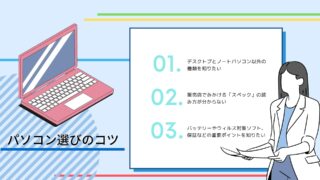
【パソコン選び】失敗しないための重要ポイント | 現役エンジニア&プログラミングスクール講師【パソコン選び】失敗しないための重要ポイントについての記事です。パソコンのタイプと購入時に検討すべき点・家電量販店で見かけるCPUの見方・購入者が必要とするメモリ容量・HDDとSSDについて・ディスプレイの種類・バッテリーの持ち時間や保証・Officeソフト・ウィルス対策ソフトについて書いています。...
Blueprint Flask Flask-SQLAlchemy Jinja2 MVT python session SQLite アップロード エンジニア セッション テンプレートエンジン バリデーション フレームワーク ルーティング 作成方法 初心者 利用方法 注意点 画像 統合
-640x360.jpg)
-640x360.jpg)
-640x360.jpg)
-640x360.jpg)

重要用語-320x180.jpg)

多変量解析-320x180.jpg)
基本統計量-320x180.jpg)
この続きはNoteとなります。